What it is
The content management system behind the websites we build at Animikii. It gets used twice over. Our developers build and customize a client’s site with it, and once that site is handed over, the client uses the same tool to run it day to day: text, images, settings.
It ran for about three years before the company decided to rebuild it on a new platform, so the version I worked on is retired now.
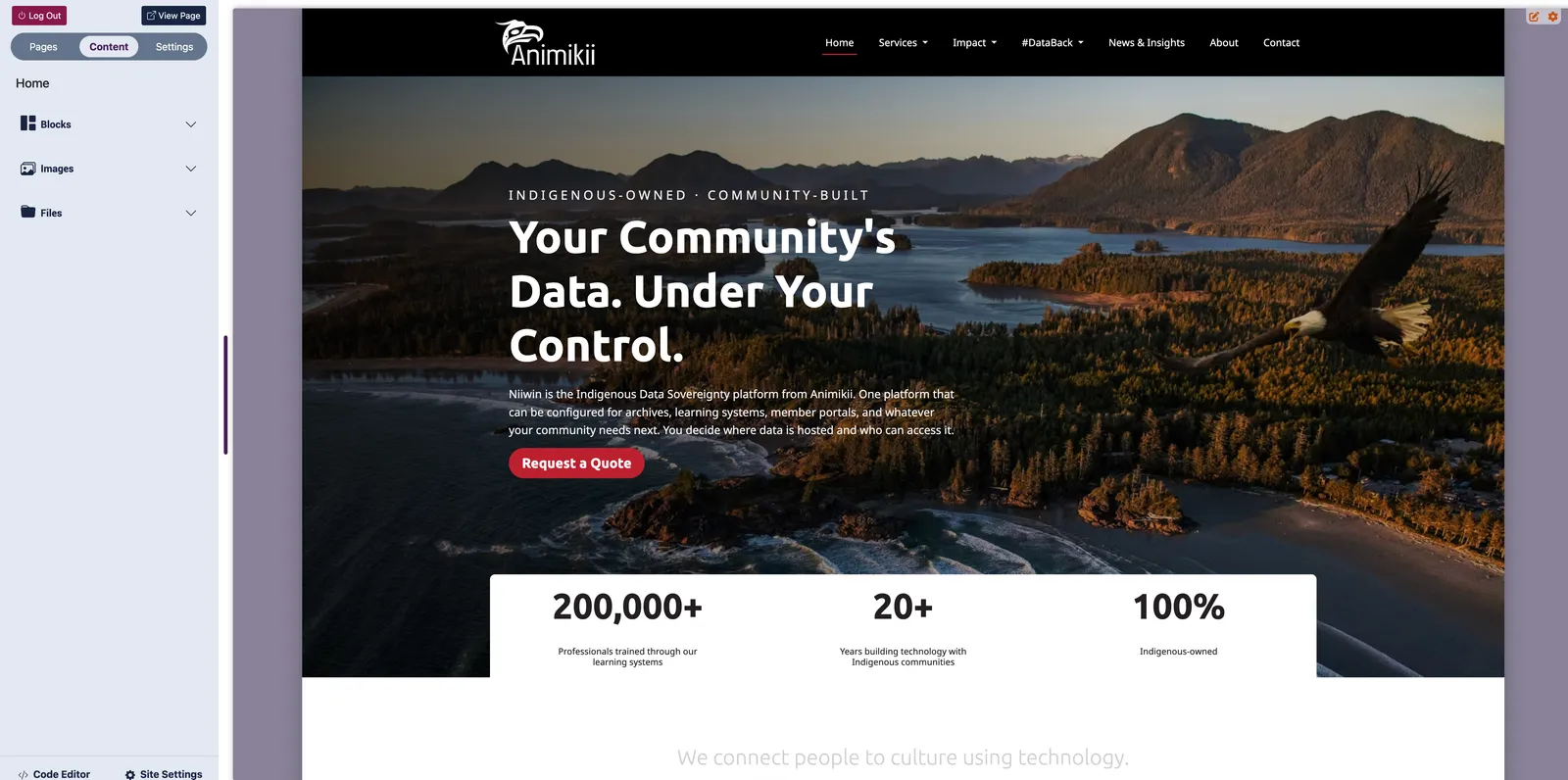
Controls on the left, the site being edited on the right. Every shot below is cropped to the left panel, since that is the part I worked on.
Where I come in
I was one of the developers on the CMS team, working on its interface, for about three years, which was as long as the product existed. I was also building client websites with it during that time, which turned out to matter more than I expected.
Two kinds of user
A developer customizing a site and a client changing a paragraph want almost opposite things from the same product.
The developer side included a code editor: access to the files behind the site, custom code, custom fields. It needed to hold everything, because anything it couldn’t do became a workaround somewhere else.
The client side had the opposite requirement. Someone who has never written a line of HTML needs to change the text on their homepage without feeling like they might break their own website.
The code editor was reachable by anyone with a login, clients included. The software had no way to hide it, and in principle a client could open it and change whatever they liked. It was their site and their code.
In practice almost none of them did. The people running these sites were not developers, and a page of Liquid templates is not somewhere you wander into by accident. The risk was never that a client would use it badly. It was that they would open it, find something incomprehensible, and conclude the whole tool was beyond them.
So we demoted it. Out of the settings, away from the screens a client works in day to day, sitting somewhere separate rather than among the things they are meant to touch. We couldn’t take the door away, so we moved it to the end of the corridor.
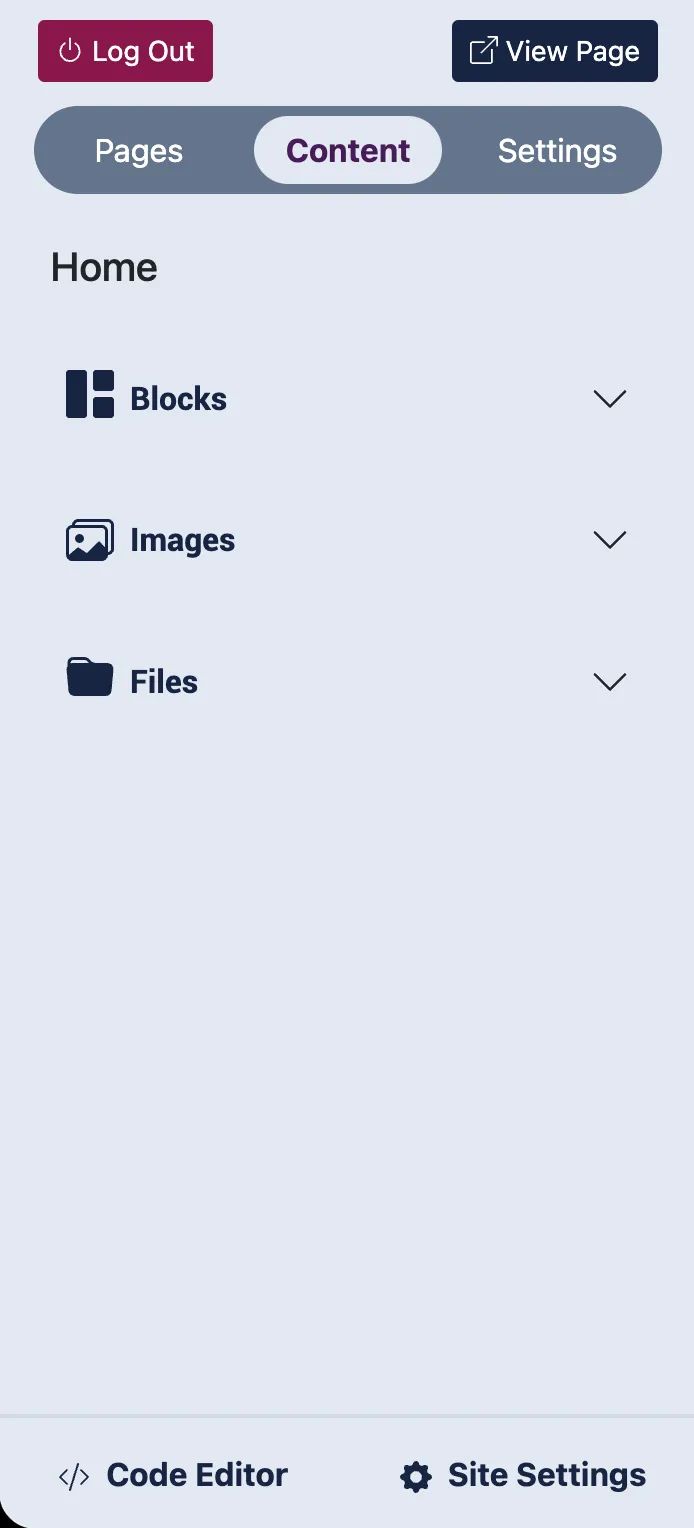
Blocks, images and files sit at the top where a client works. The code editor is at the very bottom, past everything else.
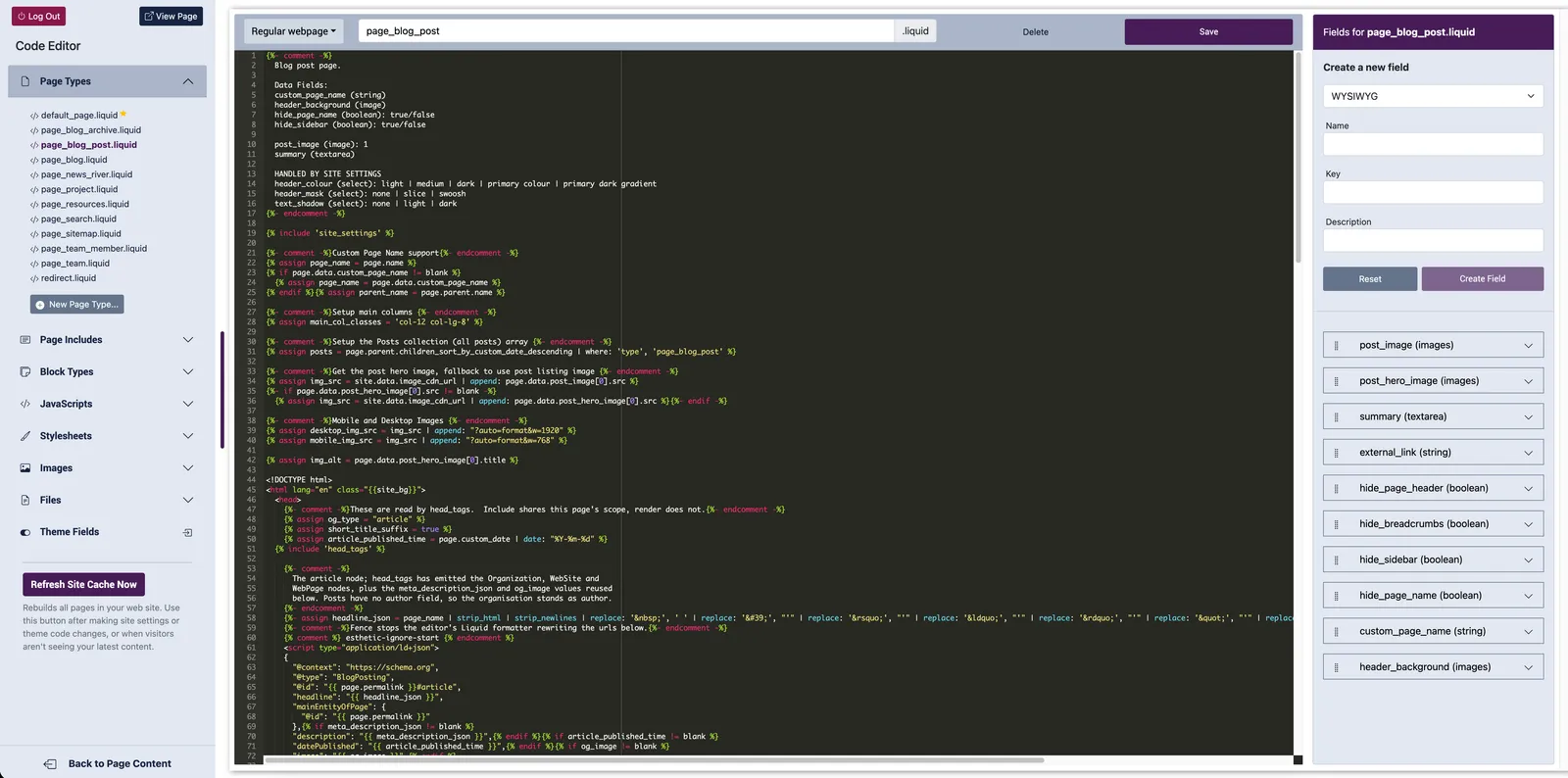
Liquid templates on the left, and a panel for creating custom fields on the right.
Redesigning the UI
The version we inherited was raw code. Not dated, not ugly exactly: just unstyled. No considered button shapes, no colour decisions, none of the small details that tell you where you are and what is safe to click.
We built that layer as front-end developers, which is the part I like about this project. The design and the implementation were the same job.
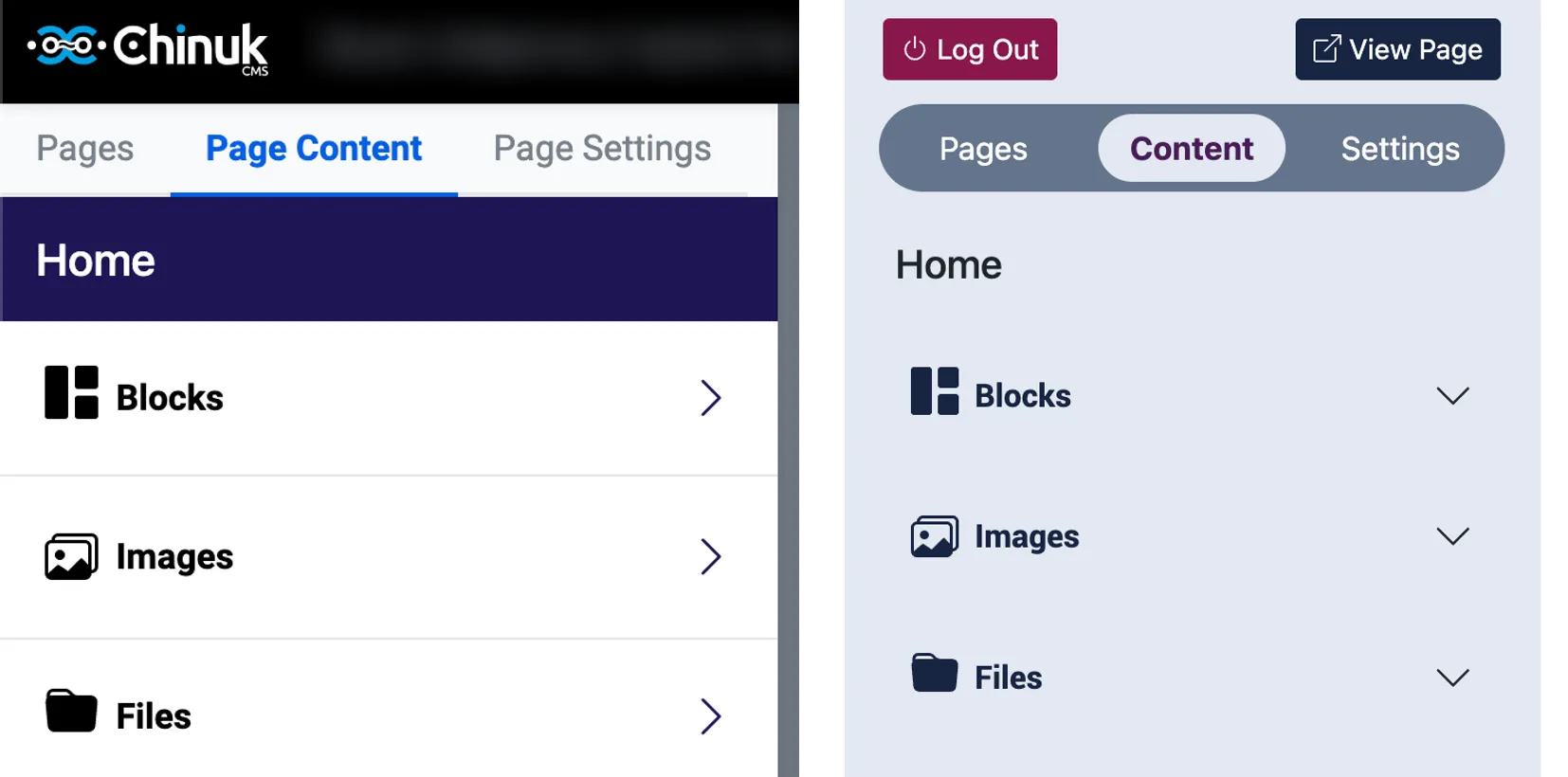
Left: what we inherited. Right: after. Same controls, doing a better job of saying what they are.
Organizing the settings
The settings were the other half of it, and that problem wasn’t visual. It was that everything sat in one undifferentiated list, so finding the thing you needed meant scanning all of it.
We grouped them. That sounds small written down, but it is the difference between a page you read and a page you search, and it was the change people noticed most.
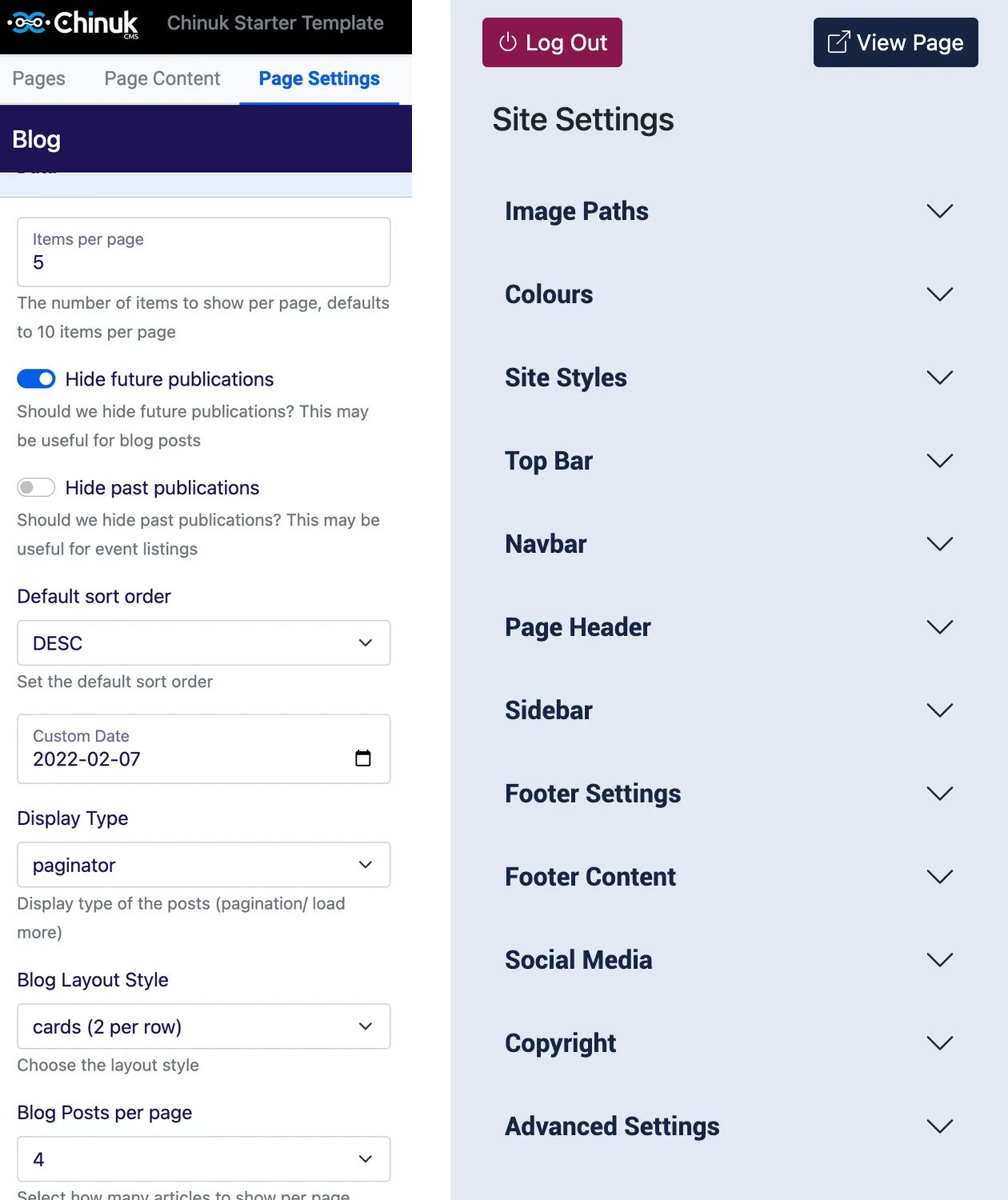
Left: every setting in one column, so finding one meant reading all of them. Right: grouped, so you open the section you want.
Grouping helped you find a setting. It didn’t tell you what the setting did, and a lot of them controlled colour, where the names only make sense if you already hold the system in your head: light text colour, dark heading colour, link hover colour. Light on what, exactly?
So I drew it. Every colour field mapped to the thing it actually changes, on light backgrounds and dark ones.
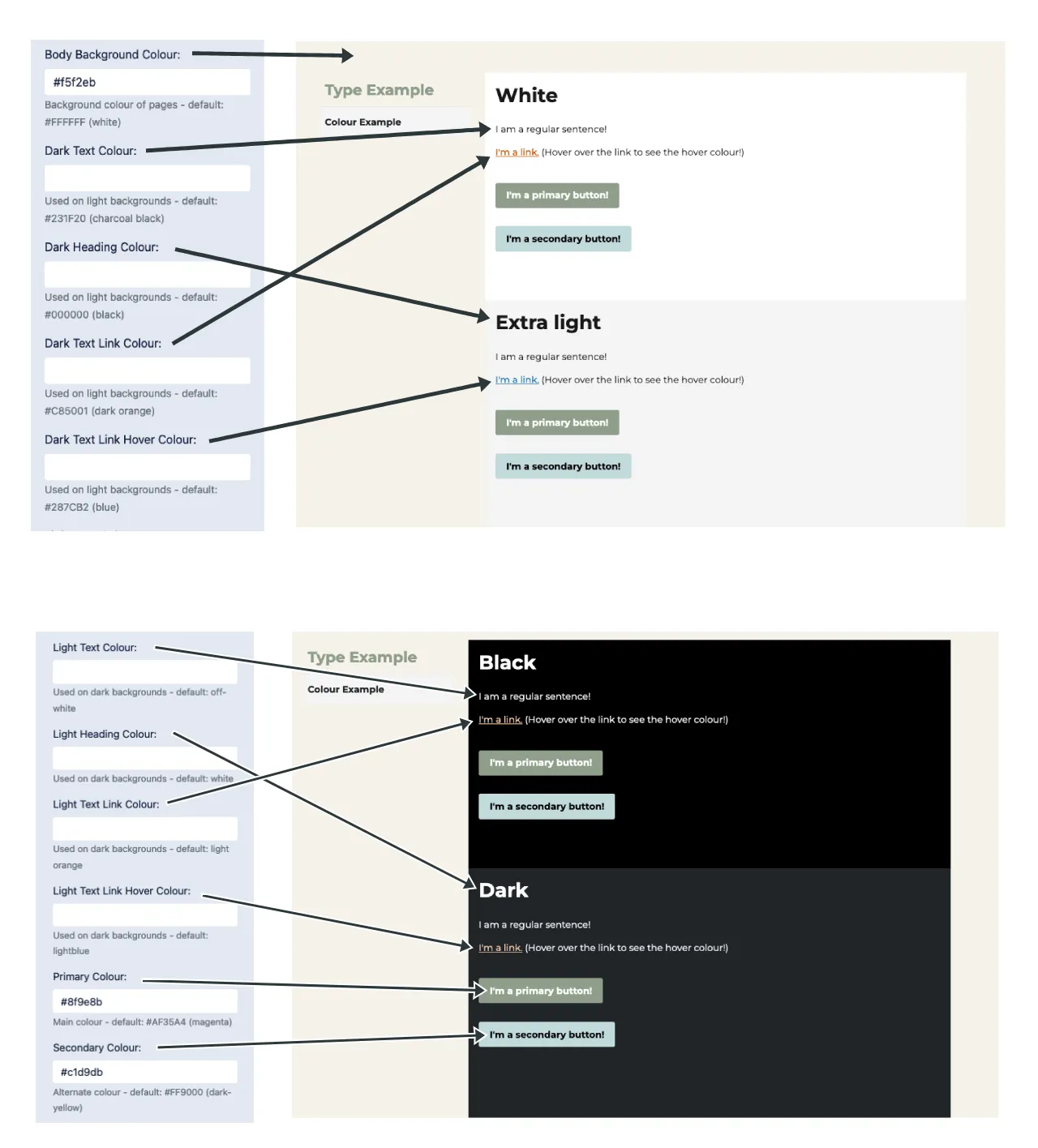
The same reference we handed clients. Naming a setting well only gets you so far; sometimes the answer is to show it.
What the software wouldn’t do
Some of this work was shaped by what the tool couldn’t be made to do, and the honest version of the story includes that.
The code editor had no version control. Editing through it meant working without Git, so in practice we did that work in our own text editors and treated the in-browser editor as somewhere to read rather than somewhere to work.
Building with our own tool
The most useful thing about working on this CMS was that we were also using it. Every client that came to Animikii wanted something slightly different, and building their site meant meeting the tool’s limits first-hand rather than hearing about them second-hand.
That is where a lot of the work came from. Features we added because a real project needed them, and bugs we found because we hit them ourselves, before a client ever could.
The clearest example was custom blocks. Sometimes a project needed something the CMS had no way to build, so we built it for that project alone and labelled it a custom block.
The label was the design decision. Looking at a block list, a client had no way to tell which blocks came with the CMS and which had been built for their project alone. Marking one as custom said: this one is yours, it won’t behave like the others, and don’t expect to find it anywhere else. Without the label it looked like every other block until it didn’t act like one.